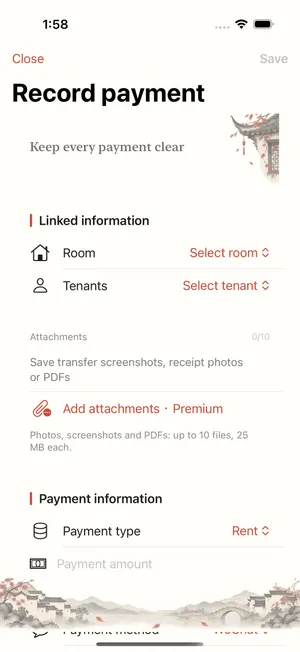
How do I keep rental payment receipts?
Premium lets you attach up to 10 images or PDF files to each payment, keeping supporting receipts with the ledger entry.
These guides include previews of features in the update awaiting review. Check the released App Store version and the controls available in your app.
- Open Record payment and enter the property, tenant and amount actually received.
- Choose images or PDF files in the attachment control and save the payment.
- Open the payment record to check the amount, date and supporting attachments.
Attachments require Premium. Avoid including unrelated identity documents or sensitive information.