How do I track rent payments and outstanding rent on iPhone?
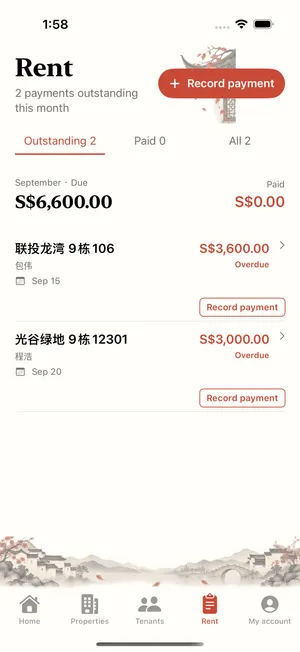
Create your properties and tenants, then record payments actually received. Landlady shows amounts due, paid and outstanding to help individual landlords reconcile rent.
These guides include previews of features in the update awaiting review. Check the released App Store version and the controls available in your app.
- Create a property group and unit, then add a tenant and link the tenancy.
- When rent arrives, open Record payment from Home or Rent. Select the property, tenant, fee type, amount and date.
- Save and check the bills and statuses in Rent. For a partial payment, record only the amount received and review the outstanding balance.
Landlady does not process payments. Use actual deposits and avoid duplicate entries.